/Afbeeldingen/Mysolution%20Logo.png?width=150&height=113&name=Mysolution%20Logo.png)
What is MAIA data enrichment?
With MAIA data enrichment, you have several components you can use to automatically enrich candidate and job data based on the candidate's CV (and/or the custom fields in the general settings).
The benefits of MAIA data enrichment
How MAIA data enrichment can make your work easier:
- Enrichment of picklists directly when a candidate/job is created, based on the CV/job description fields.
- Faster matching (using search persons) on the fields that matter to you.
- Less processing time for users, thanks to automatic completion of information.
How MAIA Data Enrichment works
When a candidate is created via CV parsing (through a job application or a CV document), the data enrichment is carried out immediately.
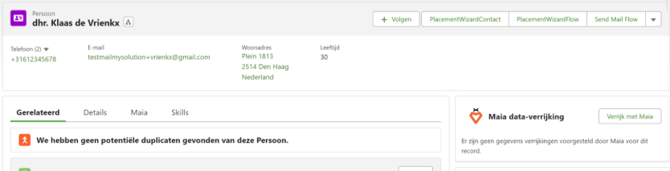
We recommend setting the MAIA data enrichment setting to "Automatically approve." In that case, you'll see that the values are applied directly:
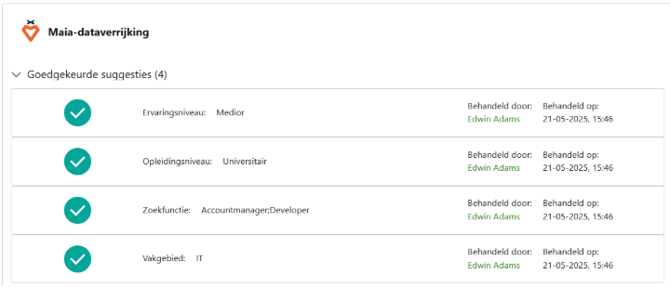
For candidates already in the system, you'll see an "Enrich with MAIA" button to calculate this: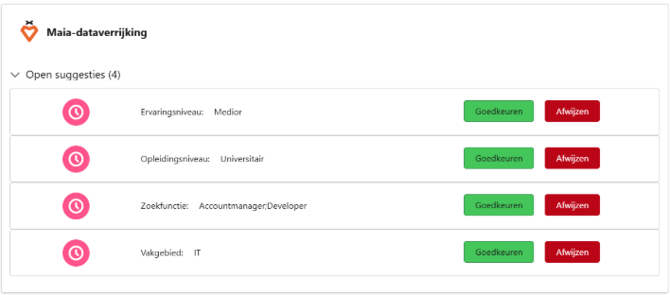
You can now decide per field whether you want to accept or reject the enrichment suggestion.
How MAIA Skills enrichment works
When a candidate is created via CV parsing (through a job application or a CV document), the data enrichment of the skills is carried out immediately.
For a candidate who already exists in MSR, you can choose to enrich:
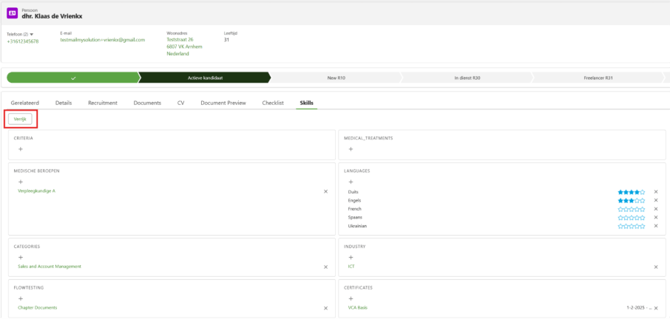
In the skills overview, you can see which skills were added by MAIA. This works the same way from the job. As soon as one of the job fields used for indexing has a value, you can enrich the skills.
Setup steps
In the MAIA settings (found via the App Launcher), the MAIA data enrichment tab lets you configure this.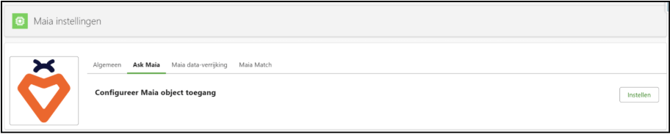
Via Configure MAIA Data Enrichment Settings, you can set up the data enrichment: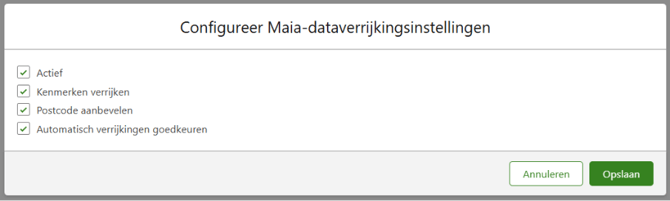
First, activate the data enrichment option. With the Enrich Skills option, relevant skills are automatically added based on the candidate's CV. This naturally also works from the job.
We enrich the candidate's postal code and the postal code of the work location right away if no postal code is present when entering or editing the record. The geolocation is also updated immediately. This requires that at least an address and/or city, combined with a country, be available. To enrich the postal code, you need to activate the Geocode_Here_Api (url https://geocode.search.hereapi.com) under Setup, External Site Settings.
The Automatically approve enrichments option applies to the enrichment of skill fields. With this option, the enrichment is applied immediately, and you can review afterward which fields were enriched by MAIA.
Via Configure MAIA Data Enrichment Objects, you can set which candidate or job fields you want to enrich:
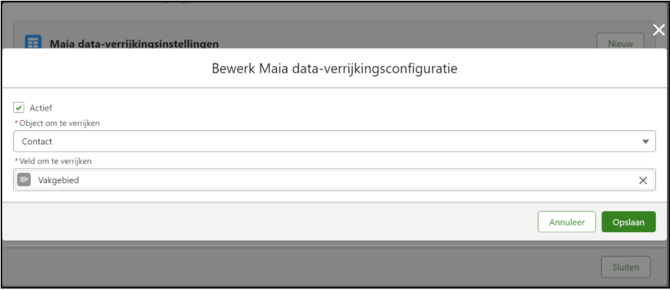
- Check Active
- Under Object, choose Contact or Job.
- Under Field, choose a single or multi-select picklist, for example Field of Expertise.
You can configure multiple fields per object, for example also Education Level and Experience Level.
Page layout
On both page layouts, you can then place the MAIA Data Enrichment component: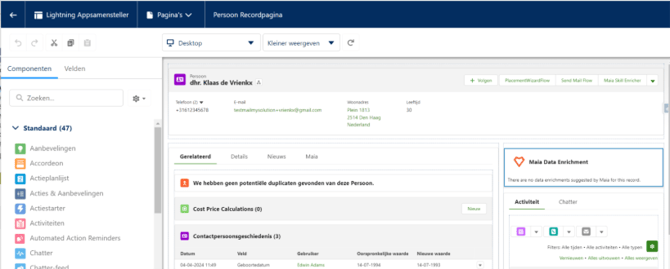
Feature Implementation Time
- Quick Implementation (1 hour)
Prerequisites
You must have MAIA installed in your environment.